Educational robots are moving from fixed lessons toward systems that can react to speech, images, and student actions. The useful question is not whether a robot uses AI, but what the software lets a student do that a scripted machine could not.
- Speech models can let students give spoken commands and ask follow-up questions.
- Computer vision can help a robot read objects, gestures, or a work area.
- Adaptive software can change a task after a student makes an error.
From fixed steps to open tasks
A traditional teaching robot follows a set path. The program expects a known command, a known object, or a known order of steps. AI can loosen those rules by helping the robot match different words or actions to the same task.
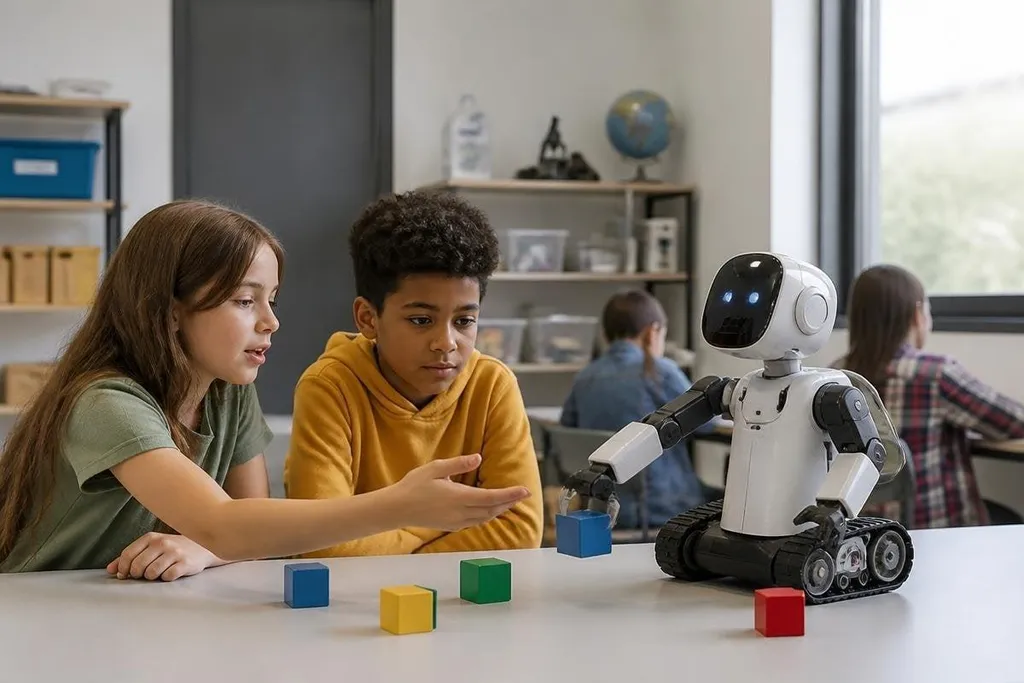
For a student building a sorting project, that may mean saying “move the blue block” instead of entering a preset command. The robot still needs sensors, motors, and control code, but an AI model can handle the less exact part of the interaction.
That change gives students a better lesson in system design. They can test what happens when speech is unclear, an object is partly hidden, or a command lacks a needed detail. That system becomes a working test system, not only a finished classroom prop.
What the robot needs to sense
AI cannot make a robot understand a room without useful input. A camera gives image data, a microphone records sound, and position sensors report movement. The software then turns those signals into a choice or a warning.
Computer vision, which means software that reads images, can help a robot sort objects by color or shape. It can also support lessons about errors: poor light, a blocked camera, or an object outside the training data can change the result.
The limits are easy to miss. A robot may identify a red cube in a clear picture and fail when the same cube is partly covered. Students need to test those cases, because a confident answer from software is not proof that the answer is right.
Classroom projects need evidence beyond a clean demo. Robot24.com’s educational robotics reports can tie an AI claim to a named machine, test date, and stated limit before students decide what the robot can do.
Personal lessons, with limits
AI can adjust a task after a student gets an answer wrong. A tutor robot might repeat a prompt, change the difficulty, or ask the student to explain a step. That can make a lesson feel more responsive than a program that gives the same reply every time.
A classroom system still needs a clear teaching goal. If the system changes tasks without showing why, students may learn to wait for hints instead of fixing their own code. Teachers also need a way to inspect the robot’s decisions, especially when the software scores work or gives advice.
Privacy adds another test. A classroom robot may process voices, images, or student work. A school should know what data the system stores, where it goes, and how long it remains available. A lesson plan cannot answer those questions after the robot arrives.
What students can learn from the failures
The best use of AI in a classroom may be the chance to study its mistakes. Students can compare a correct label with a wrong one, change the input, and record how the robot reacts. That work connects coding with measurement.
It also shows why a robot needs more than an AI model. The model may choose an action, but control software must turn that choice into safe motor movement. An emergency stop, speed limit, and clear test area still matter when the robot speaks naturally.
I’d choose a robot that exposes its sensors, decisions, and code over one that hides them behind a polished demo.
Before a school buys one
Use this check before comparing models or lesson plans:
- Name the task: Write down the lesson students must complete without the robot doing the thinking for them.
- Check the inputs: List the camera, microphone, touch sensor, or other data the robot needs.
- Test failure cases: Try unclear speech, poor lighting, misplaced objects, and a lost network connection.
- Ask about data: Confirm what the system stores, who can access it, and how deletion works.
- Inspect the controls: Find the emergency stop, speed settings, update method, and teacher override.
- Count the teaching time: Include setup, calibration, repairs, and time spent explaining wrong answers.
AI makes educational robots more flexible, but flexibility creates more things to test. A school should buy the system whose limits students can see and measure, not the one with the longest feature list.